A Pinterest scheduler that makes the pins for you.
Connect your blog once. Blogcastr can do the rest while you're still in control. Generate and approve beautiful pins that drive traffic to your site without all the headache.
Make, review, post
Studio
Pick which recipes get pins. Your newest content. The ones that haven't been pinned in a while. Or whatever you choose.
Review
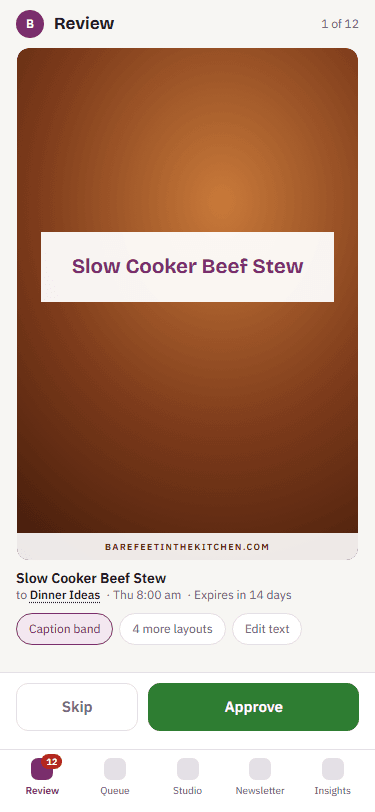
Swipe through pins to approve or skip the designs. Make quick edits to zoom and center the images and tweak the headlines. Boards are suggested for you.
Queue
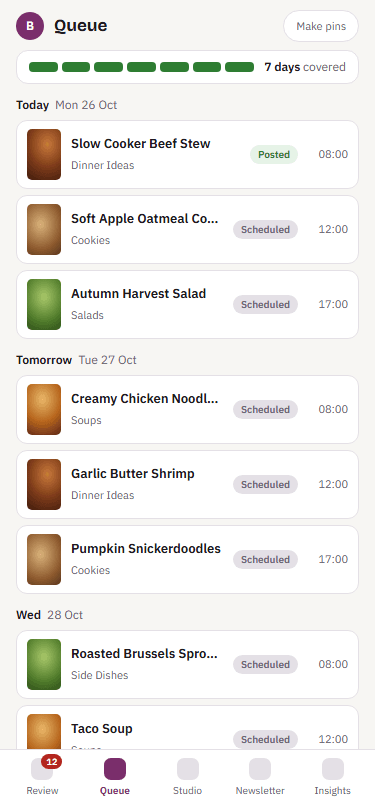
See your scheduled pins at a glance. Move them around, post it now, or pull it back for editing. Get notified when there's an issue publishing one.
Boards
Blogcastr suggests which board should get each new pin based on what the recipe card contains. Want to capture an upcoming trend? It can create boards complete with a description, too.
How it works
Every recipe on your blog can get a fresh pin, and you get to choose which image gets used. Headlines and descriptions are filled from your own copy, editable by you. Zoom and move the image beneath the overlay so that it is exactly how you like it.
Want to promote a specific recipe? Approve several designs and Blogcastr will schedule them to different boards on different days, just the way Pinterest likes it.
Features
- Makes it easy to generate fresh pins for your blog
- Automates saving top performers to new boards on the schedule you choose
- Alerts you to upcoming trends and tailors the copy to match trending keywords
- Helps you track analytics for all Blogcastr pins and legacy top performers
Pins that look like your blog, not a template store
Upload your brand font, and select the colors for your brand. By default overlay accents will choose a complementary color based on the image.
Pick from hundreds of layouts in the library, or claim an exclusive one: once it is yours, nobody else on Blogcastr can use it. Have a pin style already? Send us one to three of your pins and we rebuild it as a layout only you can use.
Why fresh pins matter to Pinterest →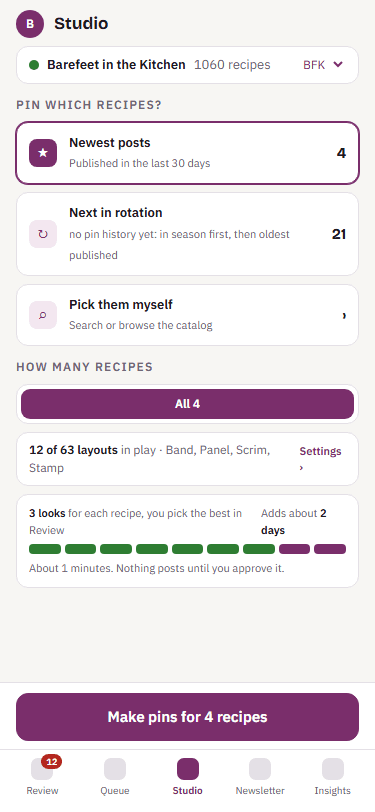
Before you connect
- Which recipe card plugins work?
- WP Recipe Maker, and any card that publishes recipe schema, which covers Tasty Recipes and Create. A blog with no recipe card plugin will not work with Blogcastr.
- How many pins a day?
- Three on Starter, ten on Growth, twenty-five on Studio. Skipping a design never counts against the cap. More than that is how accounts get flagged.
- Can I write my own headline?
- Yes, on every design, in Review. The suggested headline is a starting point.
- What does exclusive mean?
- One account claims a layout, once, and it is never offered to anyone else. If you cancel, it rests with your account rather than going back on the shelf.
- What happens if Pinterest rejects a pin?
- You see why in one sentence, with a Retry button. Nothing is silently dropped.
- Does it post to Instagram?
- No. Pinterest and your newsletter, nothing else.
- Is there a free plan?
- No. There is a fourteen-day trial of Growth with a card on file, and you can cancel from Settings.